The Brief
Use digital software such as Photoshop to create a composite that visually appears to be a documentary photograph but which could never actually be.
My idea
For my composite, I wanted to play with the idea of the human head as a real part of the body and as seen my the medical profession. This idea actually came about because I remembered someone visiting my house once and remarking that they didn’t like the phrenology head I had on my shelf. Phrenology heads were part of a popular pseudoscience in the 18th Century that identified the physical shape of regions of the head with corresponding psychology. By dividing up the regions around the skull into different physiological or behavioural attributes, phrenology could map the shape of the skull and conclude information about the patient. Phrenology heads were porcelain busts with the regions labelled on the surface as shown in the photograph below.
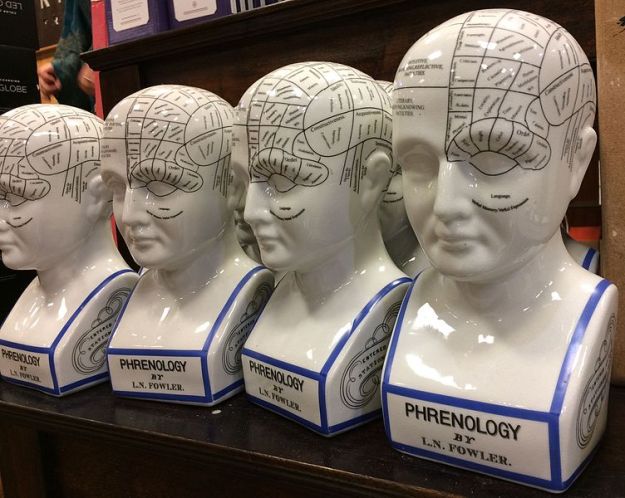
Phrenology Heads [1]
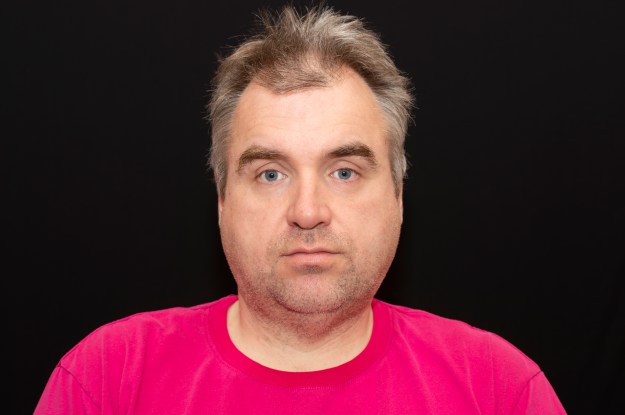
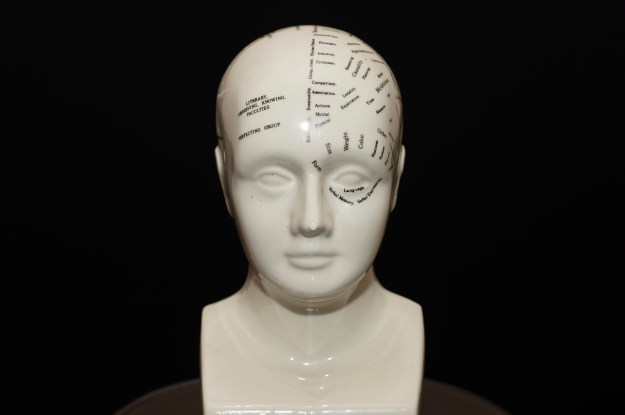
I started by shooting two portraits in a carefully set up studio environment. The first was a portrait of me and the second was of the bust positioned at exactly the same point in space as my head was. I wanted to make the blending of the two photographs as seamless as possible, so everything including position, angle of incidence and lighting was maintained between the portraits. The two images can be seen below:
I imported these into Photoshop
My Image
My early attempts to overlay and reveal the phrenology head beneath my skin failed dismally. As I said, I’m not really a Photoshop guy and struggled to make the image look anything other than obviously fake. I wanted this image to challenge the viewer perspective rather than be understood at a glance, so I instead decided to try to combine them. I first converted both to black and white and incorporated them both in one project as layers. My first job was to try to align the features of the smaller phrenology head with my own features. I did this by overlaying my image onto the bust and reducing the opacity of the portrait to around 25%. This meant that I could see the bust beneath my image. By using the skew and distort transform functions, I was able to align them pretty well using the eyes and mouth as anchor points. Next, I used a fill layer to provide a base layer background. This would be used to erase any unwanted features in the finished image and ensure that the dark areas of both frames were actually black. The next step was to overlay the images. I used the pin light overlay on the portrait which forced the two images together. After some tweaking to reintroduce some of my hair and some raising to shape just the head and remove the shoulders, the image was complete.
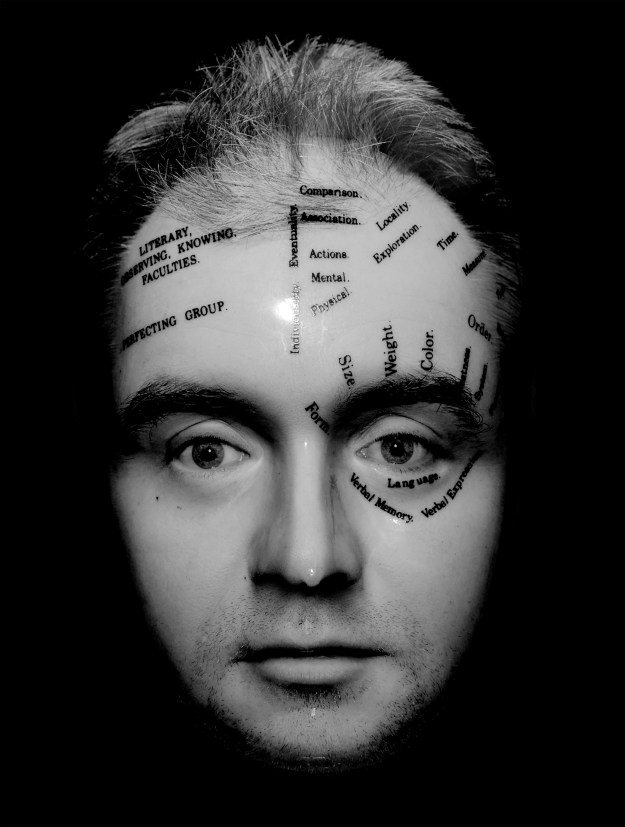
The Phrenology Man
Review
This photograph turned out better than I could have expected. When looking at it for the first time, it looks like a human face but something is already wrong before we read the inscriptions. The completion has stubble but is also glass-like. The nose looks natural but has a misshapen porcelain shape to it. The eyes are real but with catchlights that make them also look glass-like. For me, the face is a document that is only very slightly real and when we see the written inscriptions we wonder how the shape of the face actually relates to the words.
References
[1] Waters, J, ‘Phrenology Head Bust’, Wikipedia Commons
 Richard Fletcher OCA Photography Blog